Can I post my video to the MLS?
Yes — flip the Branding dropdown to “MLS-safe” and the video regenerates with zero agent branding: no name in the narration, no contact overlay. Most MLSs require exactly that.
- Open the video in your studio and find the “Branding” dropdown next to the Cut picker. Switch it from “Branded” to “MLS-safe — no branding.”
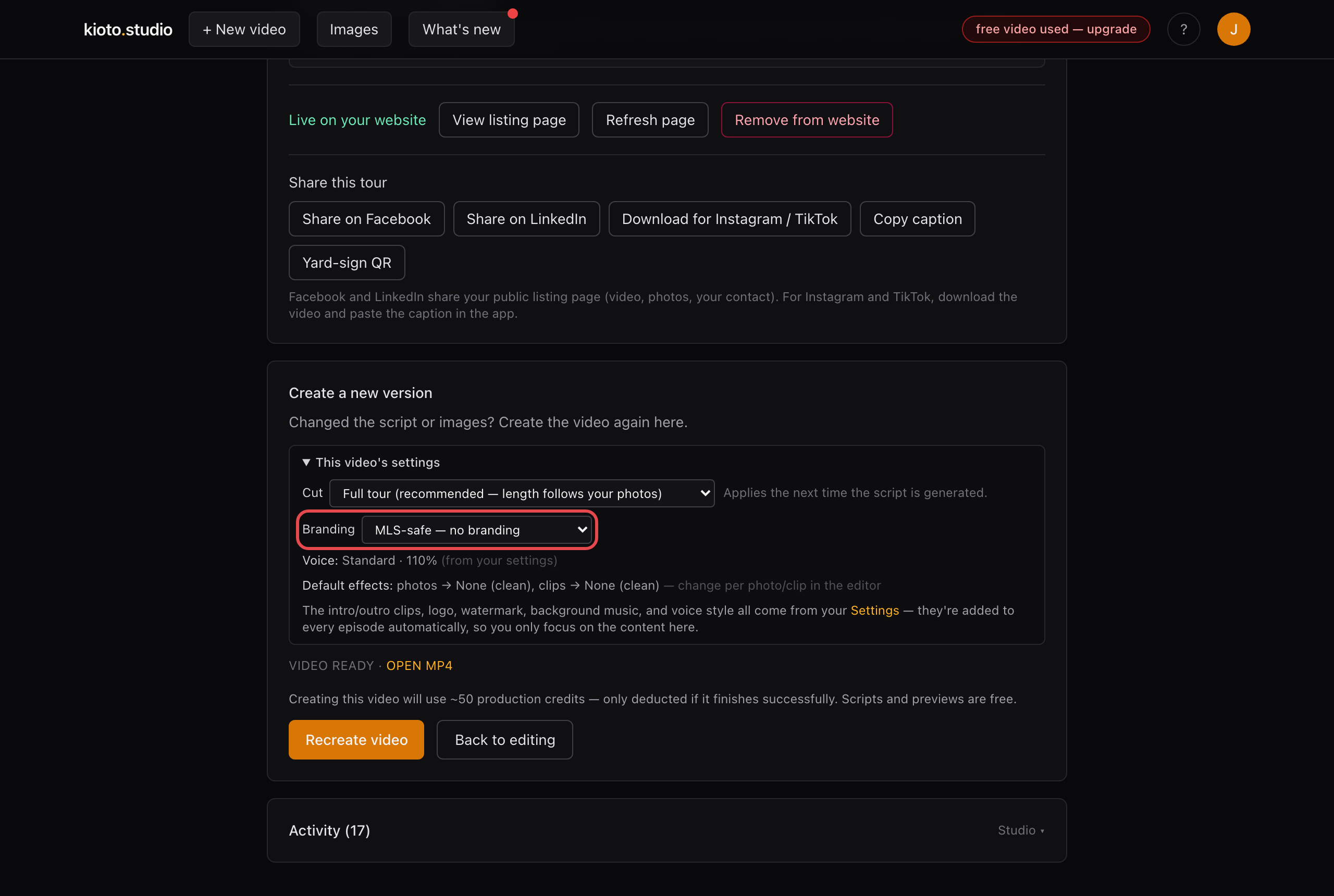
One dropdown — it strips your intro, sign-off, and the on-screen contact card.
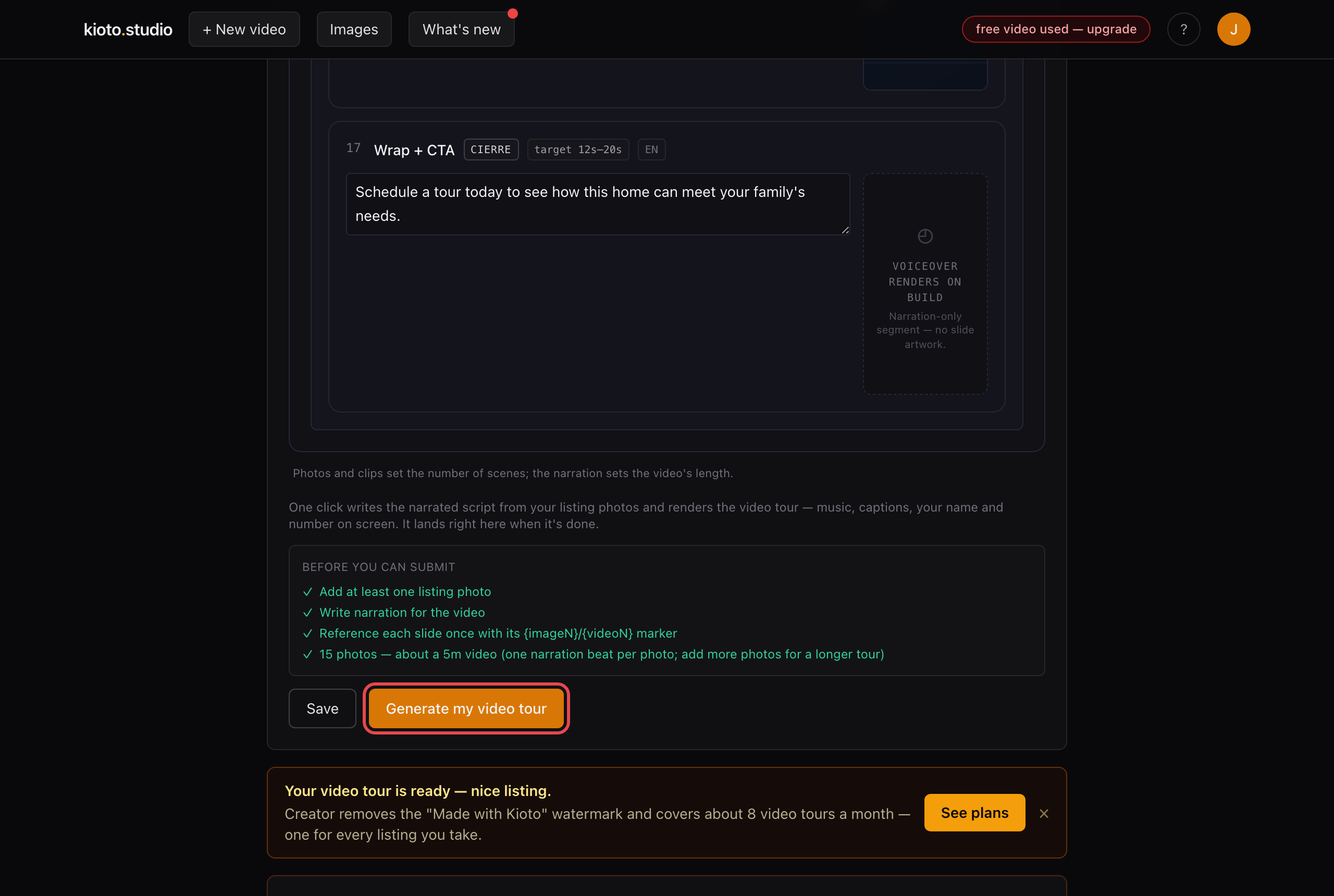
- Re-render the video. The new cut has no agent references anywhere — narration, captions, or overlays.
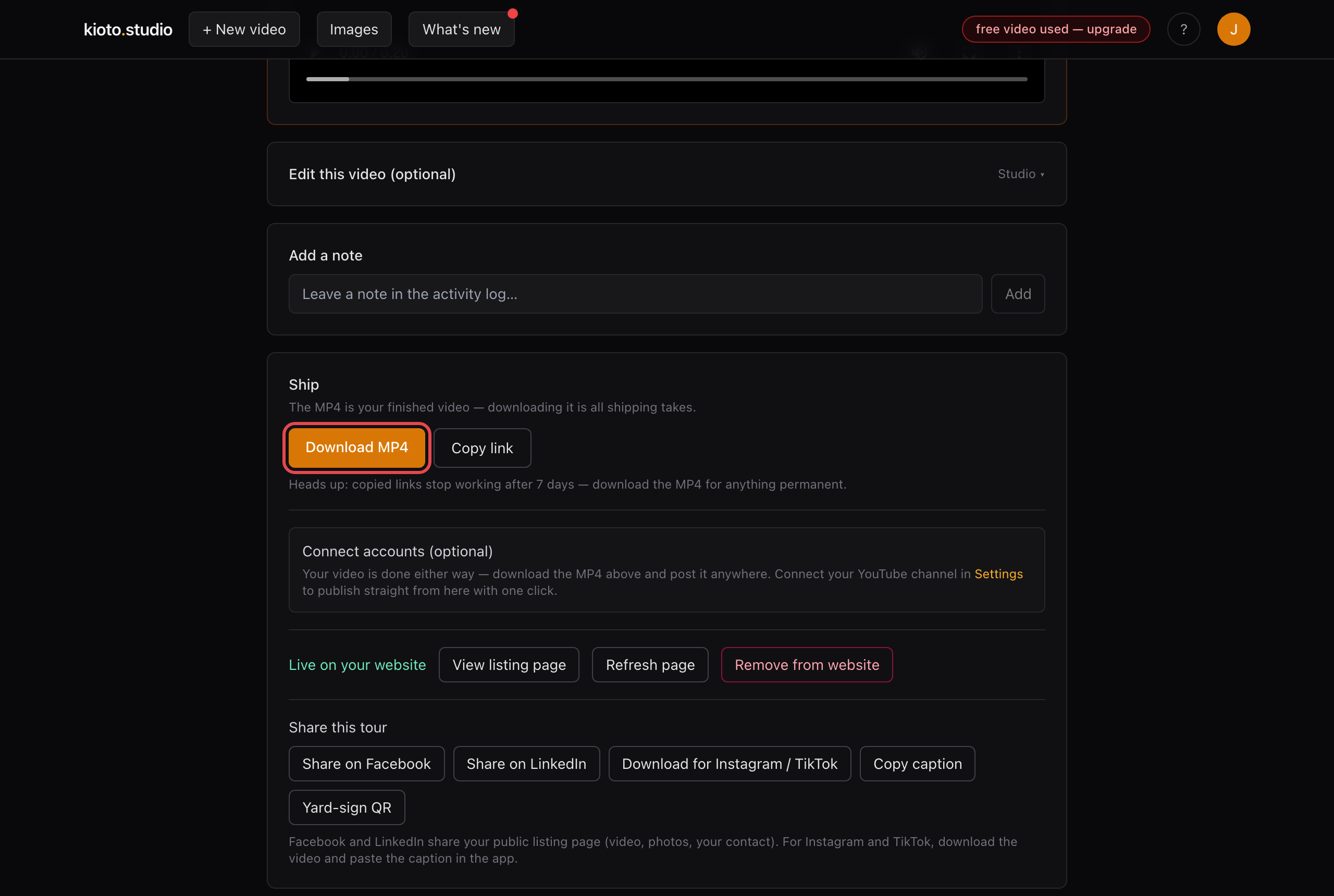
- Download the MP4, upload it to YouTube (unlisted works fine), and paste the YouTube link into your MLS listing entry — that's the route most MLSs accept.
Keep the branded cut too — it's still yours for social, email, and your listing page. One listing, two cuts, each where the rules want it.