Can I use photos from Zillow, my brokerage site, or my own camera?
Yes. Paste a public listing link and we pull the photos — or upload the files yourself from anywhere.
- Fastest: copy the listing's public URL (Zillow, Realtor.com, Redfin, Trulia, Homes.com). Brokerage and MLS pages often work too — we read the page and extract what we can.
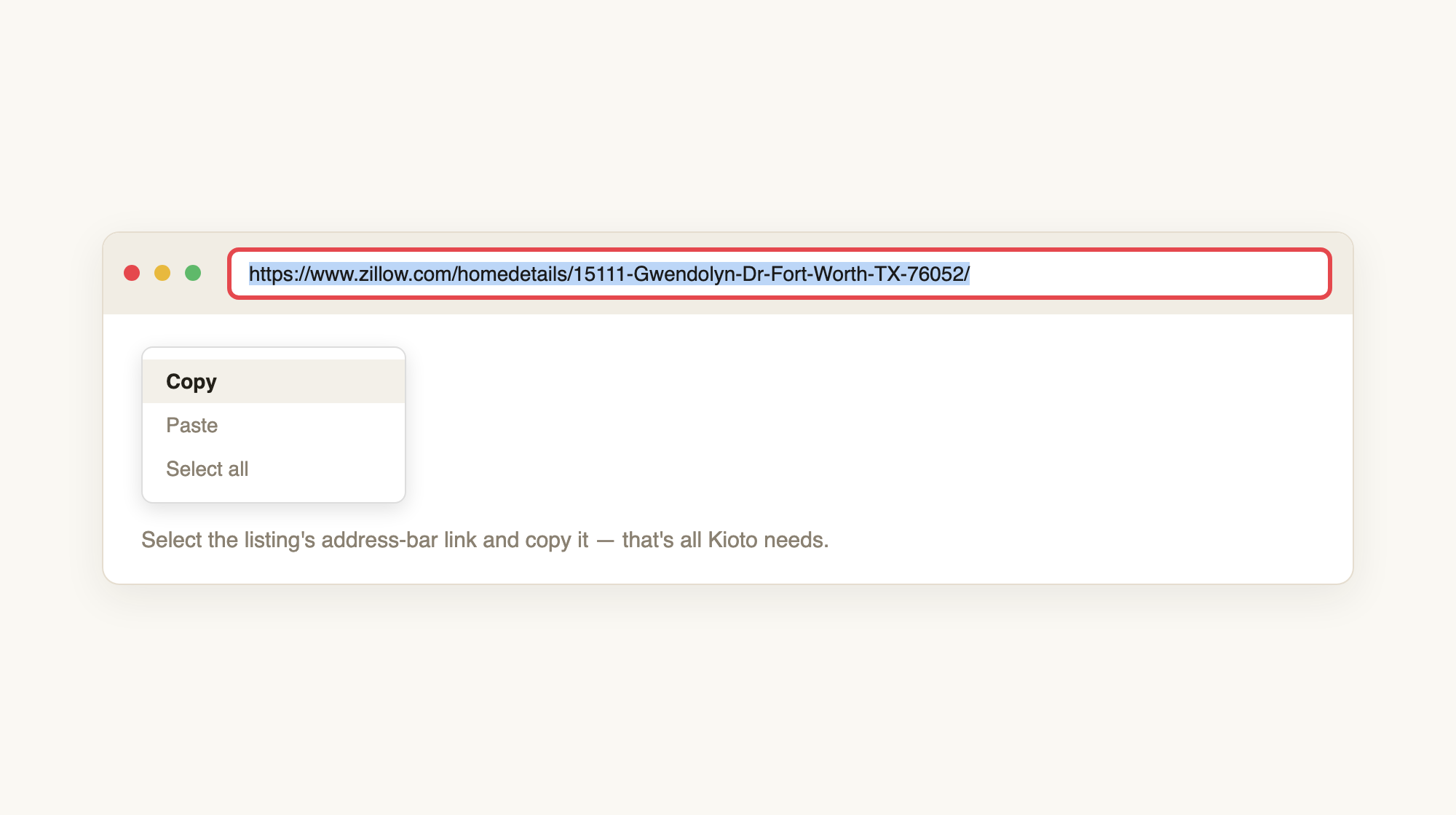
Copy the address-bar link. We do not log into Zillow or your MLS for you.
- In your studio click “+ New video,” leave “Start from a listing link” selected, paste the URL, and click “Create video.”
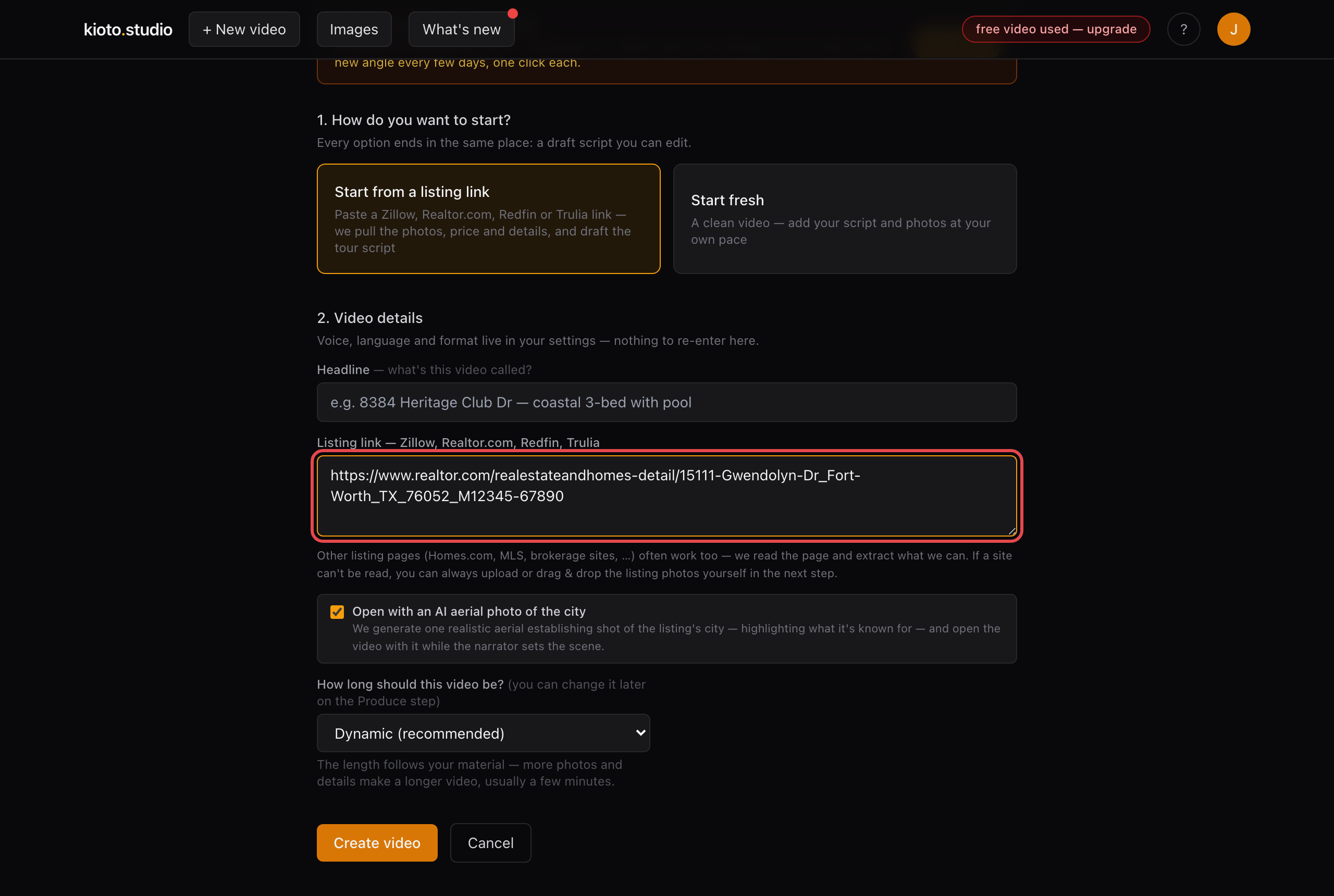
The listing-link box — not a file picker. Photos arrive from the page.
- If the page can't be read (a login wall, a search results page, some brokerage skins), or you already have the files: click “Start fresh” instead.
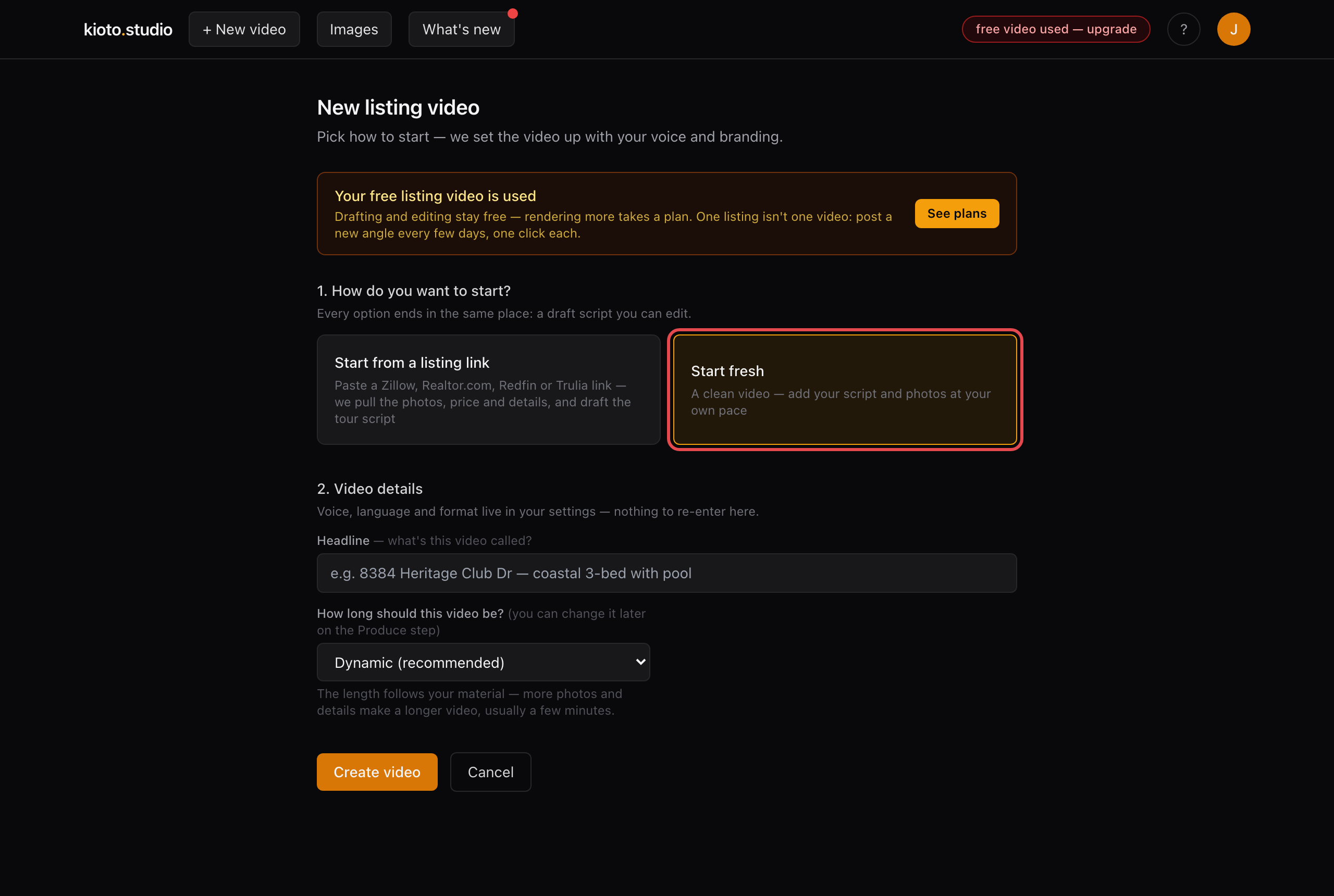
The Start fresh card — a clean video so you add photos yourself.
- On the video, click “+ Upload photos” (or drag files onto the Evidence Timeline, or paste from the clipboard). Camera roll, MLS export, a folder you downloaded from Zillow — any JPEG/PNG/WebP.
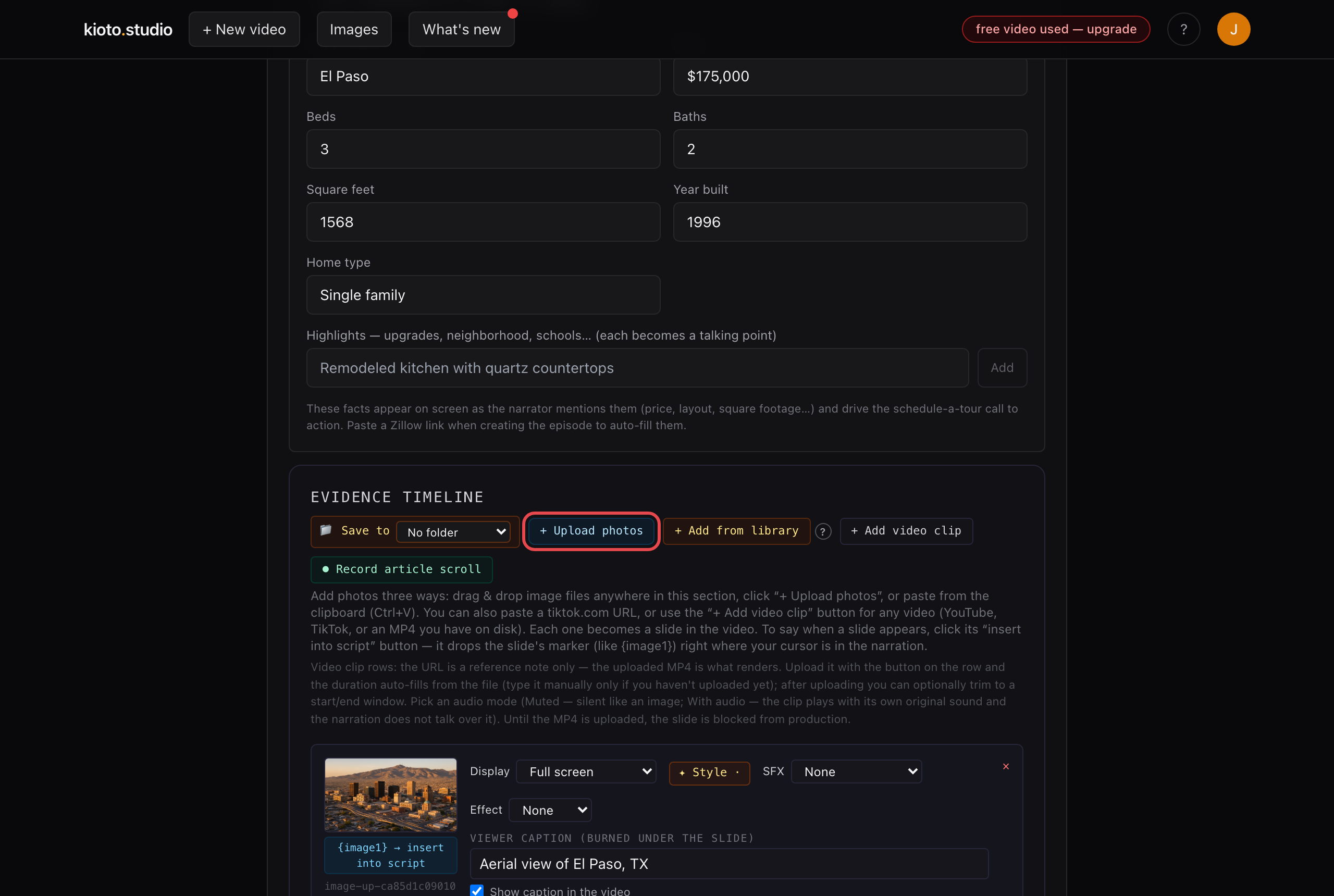
The + Upload photos button on the Evidence Timeline, left of + Add from library. Not the listing-link box.
The same + Upload photos button also adds or replaces photos on a video that started from a link. Prefer we do it for you? Reply to any Kioto email with what you want changed and we'll handle it the same day.